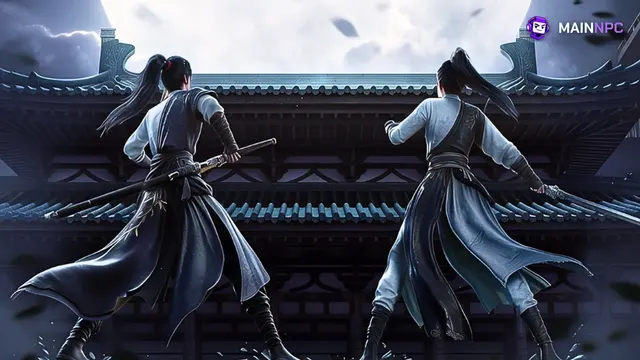
Where Winds Meet PC Requirements (About 130 GB) and Best Settings
About 130 GB of storage, the launcher packages, DirectX 11 or 12: the specs and storage figures the publisher and the store listings give, and the settings published PC guides start with. Steam listing rechecked November 14, 2026, after version 2.4.
J By Juno Hale·NOV 14, 2026·Updated NOV 15, 2026·7 MIN
Preview · store listings, official launcher guide and dated PC guides · Steam listing rechecked Nov 14, 2026
The short answer (as of November 2026)
Minimum (Standard build, current store listing): Windows 10/11 64-bit, Core i7-7700K or Ryzen 5 1600, 16 GB RAM, GTX 1060 6 GB or RX 480 8 GB, DirectX 12.
Recommended: Core i7-10700 or Ryzen 7 3700X, 32 GB RAM, RTX 2070 Super, RX 6700 XT or Arc A750.
Storage: the official launcher guide lists more than 60 GB for the Quick package or more than 100 GB for the Standard package. The current figure is about 130 GB (minimum) and 200 GB (recommended), the size the Steam listing showed on November 14, 2026. An SSD is recommended either way.
First setting to change: run the game in DirectX 12 if you want DLSS or frame generation.
Where Winds Meet is a big open world, and the constraint before you start is your drive and your graphics card. This guide decides which package fits your PC, and which settings to touch first, so your first session goes to playing Where Winds Meet on PC rather than tuning it.
Price check (Nov 2026): the Steam listing shows the game as Free To Play with In-App Purchases, monetization "limited to cosmetic items." It is rated PEGI 16 on the PlayStation Store (UK) and ESRB Teen on the Xbox Store (US), with In-Game Purchases (Includes Random Items), per those official store listings read November 7, 2026. We compared the store listings, the official launcher guide and dated PC guides; nothing here was run or measured by MainNPC.
Minimum and recommended specs
Lowest tier (launcher guide)
Minimum (store listing)
Recommended (store listing)
OS
Windows 10 / 11, 64-bit
Windows 10 / 11, 64-bit
Windows 10 / 11, 64-bit
CPU
Intel Core i7-4770K / AMD Ryzen 5 2400G
Intel Core i7-7700K / AMD Ryzen 5 1600
Intel Core i7-10700 / AMD Ryzen 7 3700X
RAM
8 GB
16 GB
32 GB
GPU
GTX 750 Ti / RX 550 / Arc A380
GTX 1060 6 GB / RX 480 8 GB
RTX 2070 Super / RX 6700 XT / Arc A750
DirectX
—
Version 12
Version 12
Storage
60 GB, HDD possible, SSD recommended
130 GB, SSD recommended
200 GB, SSD recommended
Minimum and recommended columns from the Steam listing read Nov 14, 2026 (after version 2.4, unchanged since Nov 7). Launcher guide dated Nov 3, 2025, read Nov 7, 2026. — = not listed in the guide.
The launcher guide also lists a High tier (Core i7-12700K or Ryzen 9 5950X, RTX 3080 or RX 6800 XT, 32 GB) and a laptop minimum (Ryzen 7 5800HS, GeForce MX450, 8 GB, 60 GB on an HDD, SSD recommended). Its Recommended tier matches the store listing, except storage: 100 GB on an SSD, where the current listing says 200 GB.
Why two minimums? All Things How (updated November 13, 2025) says the lower one belongs to the Quick package, while the Standard build starts at the GTX 1060 tier. The publisher warns that requirements may change, so the size your launcher shows has the final word.
Quick or Standard: the launcher packages at launch
The official launcher guide lists the packages like this:
Package
Free space in the guide
Where
Who it suits
Quick
more than 60 GB, SSD recommended over HDD
official launcher
smaller drives, PCs near the lowest tier
Standard
more than 100 GB
the other launch-day PC stores, per All Things How
most players
Ultimate
"not available at launch," no size given
—
—
Guide dated Nov 3, 2025, read Nov 7, 2026. Store availability per All Things How (Nov 13, 2025); the guide itself does not say which store offers which package. — = not stated.
Those are launch-era figures. The game has grown since: Hidden Mountain (version 2.0, July 23, 2026) added a region, version 2.3 "Friends from Afar" went live on October 15, 2026, and version 2.4 "Across Autumn Waters" added the Hutuo region on November 13, 2026. The current listing says about 130 GB minimum and 200 GB recommended (Steam listing, November 14, 2026). The guide shows no newer figure, so the size the official launcher displays may differ from both. Check the number on screen before you commit a drive.
Safety line: never fill an SSD to the last gigabyte. A big patch needs free space to land.
The official PC launcher and the other PC versions
All PC versions run the same game, and All Things How says linked logins across the three launch-day PC versions (the official launcher included) and PS5 share one character. What differs:
Official launcher: where All Things How (November 2025) places the smaller Quick package.
Other launch-day PC stores: the Standard build, per All Things How.
Microsoft Store: the game arrived on "XBOX on PC" and the Microsoft Store on June 8, 2026, per the official announcement, and Xbox Wire lists it on PC Game Pass.
On paper, cross-play is broader than shared progress: the store description quoted by Xbox Wire says "Cross-play available on XBOX, PS5, PC, and Mobile," while All Things How documents shared progress for PC and PS5 only. It warns that two accounts that already have their own characters "cannot be linked together."
Common trap: creating a test character on PC when your main lives on PS5. Link your PC login first.
Best settings: what PC guides recommend
Starting points from published PC guides, not our own benchmarks. Change one setting at a time.
Use DirectX 12. The store listing gives it as the requirement, and All Things How says "DLSS and frame generation only exist on the DX12 path." All Things How says PC players are asked at startup which version, DX11 or DX12, to launch; Hone.gg (November 22, 2025) also describes a -dx12 launch option.
Upscaling: DLSS is restricted to NVIDIA RTX cards (The Backdash); FSR works on any GPU (Hone.gg). mein-mmo (November 14, 2025) suggests DLSS on Balanced or FSR at 70 resolution quality, and saw FSR raise the frame rate more than DLSS in its beta runs, which it said it would recheck.
Frame generation: Hone.gg lists DLSS Frame Generation for RTX 40 series cards only. Try it last.
Motion blur off, per mein-mmo and The Backdash.
V-Sync: The Backdash and GearUP (last updated May 20, 2025, before launch) turn it off; Hone.gg says it "adds significant input delay" and suggests Reflex where available. mein-mmo keeps it only if needed.
Resolution: GearUP uses your monitor's native resolution.
PC near the minimum: All Things How ties the lowest tier to the Quick package, which exists for that case. Start there before you cut resolution.
Background apps: the hidden cost
Your game is not the only program asking for memory: browsers, video and voice chat take RAM and CPU time too. Before a long session:
Close the tabs and launchers you are not using.
If you keep a browser open for maps and guides, cap it. Microsoft Edge has resource controls under Settings, then System and performance, and by default they limit its RAM "only when you're PC gaming" (Microsoft Edge blog). Opera GX has a RAM and CPU limiter in the GX Control sidebar, set with sliders (PCWorld).
Keyboard and mouse or controller?
Both work. The Steam listing, read November 15, 2026, shows Full controller support, with DualShock and DualSense controller support listed too. That listing covers the Steam version; the official launcher guide does not mention controllers.
After the Hutuo update (November 13, 2026)
Version 2.4 "Across Autumn Waters," the game's first global anniversary update, added the Hutuo region on November 13, 2026, during a live update from 18:00 to 22:59 (UTC+8), per the official update overview published on the official site and on Steam. We found no patch size in those notes, and the Steam listing still showed about 130 GB minimum and 200 GB recommended on November 14, 2026. Before you patch, free disk space, update your GPU driver and note your current settings.
Before you start: a 2-minute checklist
Free space: about 130 GB or more (200 GB recommended), the current listed size. The launcher guide listed more than 60 GB (Quick) or 100 GB (Standard), but those are launch-era figures: check the size your launcher shows. SSD if you can.
GTX 1060 6 GB / RX 480 8 GB and 16 GB of RAM for the Standard build.
Windows 10 or 11, 64-bit, DirectX 12.
Our pick by profile
Small drive or older PC: the official launcher and its Quick package, the smallest option on paper. Its 60 GB is a launch-era figure, so check the size your launcher shows first.
Controller player: the Steam listing confirms Full controller support, DualShock and DualSense included (November 15, 2026); on the other PC versions, check the in-game settings.
Already on PS5: link your accounts before you create a PC character.
About 130 GB as the minimum and 200 GB recommended, the size the Steam listing showed on November 14, 2026. The official launcher guide, dated November 3, 2025, lists more than 60 GB for the Quick package and more than 100 GB for the Standard package.
Can my PC run Where Winds Meet?
The listed minimum is a GTX 1060 6 GB or RX 480 8 GB, a Core i7-7700K or Ryzen 5 1600, and 16 GB of RAM on 64-bit Windows 10 or 11. The recommended setup is an RTX 2070 Super, RX 6700 XT or Arc A750 with 32 GB of RAM.
Can I play Where Winds Meet on an HDD?
The official launcher guide lists an HDD only for its lowest PC tier and its laptop minimum (60 GB), and recommends an SSD. The current store listing recommends an SSD too.
Why can't I find DLSS in Where Winds Meet?
DLSS and frame generation only appear when the game runs in DirectX 12, according to All Things How. Choose DirectX 12 at launch, then check the graphics settings again.
Does Where Winds Meet support controllers on PC?
Yes. The Steam listing shows Full controller support, with DualShock and DualSense controller support (read November 15, 2026).
Is Where Winds Meet free on PC?
Yes. It is free to play, with in-app purchases (Steam listing, November 14, 2026). The official store listings show PEGI 16 (PlayStation Store, UK) and ESRB Teen (Xbox Store, US).
Juno Hale is the pen name of MainNPC's setups desk. Setup guides compare published specs, load ratings and dated US prices from manufacturers and retailers, and flag the safety limits that build videos skip. How we research →


 Beginner Guides